





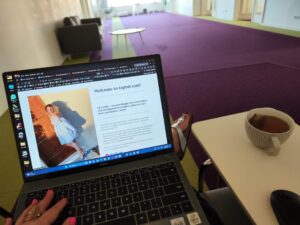

A home office can be a room, a corner or a table you clear after work. The same rule applies to each: make the next task easy to start and the last task easy to put away. These 15 changes cover the desk, papers, files and equipment without assuming you have spare space or a shopping budget.
Set up the work area
- Choose one work spot. If the table is shared, use a tray or portable box for work items so you can set up and clear the space without searching through the house.
- Clear the surface you actually use. Keep the monitor, keyboard, current work and perhaps a drink. Move supplies you use only weekly to a drawer or shelf.
- Put frequent tools within reach. Your mouse, keyboard, notebook and current paperwork should not require repeated twisting or stretching. OSHA’s workstation guide offers a useful desk-layout check.
- Check the screen position. Place it directly in front of you at a comfortable reading distance, with room for the keyboard. Adjust text size or screen height if you find yourself leaning or looking sharply up or down.
- Use vertical storage only where it helps. A shelf can free desk space, but keep heavy or frequently used items where they are safe and easy to reach. A tall stack of boxes is not an organization system.

Give paper and supplies a route
- Make one inbox for incoming paper. Mail, receipts and notes can wait there until a scheduled review. An inbox prevents a desk-wide pile; it is not permanent storage.
- Separate active projects from archives. Keep current work near the desk. Label older records by subject and year, and follow applicable retention rules before shredding originals.
- Sort supplies by use. Keep one working pen, stapler or charger where you use it; store spares together. Seeing what you already have helps avoid duplicate purchases.
- Label storage by contents. “Client contracts 2026” is more useful than “important.” Choose names another person in your household could understand if they needed to find something.
- Choose furniture after measuring. Check available floor area, door clearance and what must fit on the work surface before buying a cabinet or desk. A drawer is useful only if it holds the things you actually need nearby.
Handle cables, devices and digital files
- Trace and label cables. Unplug equipment before rearranging it, then identify which lead belongs to each device. Use removable ties or clips without pinching cords or blocking ventilation.
- Check power before adding a charging station. Use equipment rated for the devices connected to it. Do not overload strips or run cords through doorways or under rugs; the Electrical Safety Foundation explains why temporary cords are not permanent wiring.
- Give files a predictable home. Use a small folder structure and names with a subject and date. Our computer-file guide covers Desktop and Downloads cleanup.
- Keep a separate backup. A cloud sync folder can make a file available on several devices, but a deletion may sync too. Check that you can restore an older or separate copy of important work.
- List equipment, not passwords. Record device models, purchase dates and support details if you need an inventory. Keep login credentials in an approved password manager, not in a desk drawer or plain-text spreadsheet.
Make the setup easy to maintain
At the end of work, put active papers in their project folder, clear the surface and note the first task for tomorrow. Once a week, process the paper inbox and check whether any tool keeps landing in the wrong place. If it does, move its storage closer to where you use it. A useful office system fits the work that happens there, including the days when the space must serve another purpose.
Frequently asked questions
How do I organize a home office with very little space?
Use one defined work surface and a portable tray or box for daily items. Keep active work close, archive older records elsewhere and measure before buying storage.
What should stay on a home office desk?
Keep only the equipment and materials you use for current work: screen, keyboard, mouse, perhaps a notebook and the active project. Put spares and occasional supplies nearby.
How should I organize office paperwork?
Give incoming papers one inbox. Review it regularly, file active projects separately from archives, label records clearly and check retention rules before discarding originals.
Are cable sleeves and power strips enough to make a desk safe?
No. Check device and strip ratings, inspect cords, avoid overloads and keep cords out of doorways and under rugs. Cable covers organize leads but do not fix an unsafe power setup.
Is cloud storage the same as a backup?
Not always. Sync can copy deletions or mistakes to other devices. Keep a separate restorable copy of important files and check that restore works.
How do I keep a home office organized?
End the day by returning tools and filing active papers. Process the paper inbox weekly, and move storage when items repeatedly land in the wrong place.

Lorelei has been an online entrepreneur, marketer and writer since 2006. Her biggest passion is WordPress, which is why she switched to being a full-time blogger 20 years ago and hasn’t looked back since. With so many years of experience behind her, she is an expert in copywriting, SEO, marketing and business strategies.

